This page replaces Help:Sample_Wiki_Page. Every section shows the Markdown you type, followed by the result. Everything here is plain Markdown, so it opens in Obsidian too: callouts and images render there natively, and the ::: blocks show up as plain text.
Callouts
Replaces {{note}}, {{tip}}, {{important}} and {{warning}}. This is the same syntax as Obsidian callouts.
> [!note]> This is a note.
> [!warning] Custom title> Don't paste this into production.Add - to make a callout collapsed by default, or + for open but collapsible:
> [!info]- Click to see the full output> Hidden until you click.Click to see the full output
Hidden until you click. Callouts can hold anything, including code:
show ip bgp summaryOpen by default, but you can fold me
Useful for long-but-optional explanations.
Code blocks
Replaces {{file}} and <pre>. Every code block gets a copy button (hover over a block and it appears top right). Add title="..." to show a filename:
```ini title="/etc/make.conf"PHP_TARGETS="php5-5"```PHP_TARGETS="php5-5"import system
def foobarosity(): return "foo" + "bar"Highlighting lines
Use {2,4-5} to highlight lines, ins={...} and del={...} for diffs, and "text" to mark words:
```hcl title="main.tf" {3} ins={6-8} "oci_core_drg"...```resource "oci_core_drg" "hub" { compartment_id = var.compartment_ocid display_name = "hub-drg"}
resource "oci_core_drg_attachment" "spoke" { drg_id = oci_core_drg.hub.id}Expandable code: long blocks fold automatically
Any block over 20 lines is shortened, with a button to expand it. The copy button still copies everything.
Building configuration...
Current configuration : 4123 bytes!version 17.3service timestamps debug datetime msecservice timestamps log datetime msecplatform qfp utilization monitor load 80!hostname CSR-01!boot-start-markerboot-end-marker!vrf definition MGMT ! address-family ipv4 exit-address-family!no aaa new-model!ip domain name lab.local!interface GigabitEthernet1 description WAN ip address 10.203.100.1 255.255.255.0 negotiation auto!interface GigabitEthernet2 description LAN ip address 10.203.110.1 255.255.255.0 ipv6 address 2001:DB8:110::1/64 ipv6 ospf 1 area 0!router ospf 1 router-id 1.1.1.1 network 10.203.0.0 0.0.255.255 area 0!router bgp 65001 bgp log-neighbor-changes neighbor 10.203.100.2 remote-as 65002!end
Collapsing sections manually
Use collapse={from-to} to fold the boring part of a block yourself:
services: phpipam-web: image: phpipam/phpipam-www:latest9 collapsed lines
ports: - "80:80" environment: - TZ=Europe/Amsterdam - IPAM_DATABASE_HOST=phpipam-mariadb - IPAM_DATABASE_PASS=changeme restart: unless-stopped volumes: - phpipam-logo:/phpipam/css/images/logo depends_on: - phpipam-mariadbLine numbers
Add showLineNumbers when you’ll refer to lines in the text:
$edges = Get-NsxEdgeforeach ($edge in $edges) { plink.exe -ssh admin@$($edge.ip) -pw $pw "show interface" | Out-File "$($edge.name).txt"}Console
Replaces {{console}}. Use ```console and the same ##i## / ##g## colour markers as the wiki, so existing pages convert one-to-one. ##i## marks what you type; ##!i## ends a marker early.
```console# ##i##bluetoothctl[##g##NEW##!g##] Controller 00:02:72:C9:62:65 antec [default]```$ run a command as user# run a command as root# bluetoothctl[NEW] Controller 00:02:72:C9:62:65 antec [default][bluetooth]# power onChanging power on succeeded[bluetooth]# scan onDiscovery started[bluetooth]# pair 00:1F:20:3D:1E:75Attempting to pair with 00:1F:20:3D:1E:75[CHG] Device 00:1F:20:3D:1E:75 Connected: yes[agent] Passkey: 454358[CHG] Device 00:1F:20:3D:1E:75 Paired: yesPairing successful[bluetooth]# quit[DEL] Controller 00:02:72:C9:62:65 antec [default]Plain shell languages (bash, sh, powershell) get a terminal frame automatically:
oci network drg list --compartment-id "$C" --output tableKernel options
Replaces {{kernelop}}:
<M> Second extended fs support[ ] Ext2 extended attributes[ ] Ext2 execute in place support<M> Ext3 journalling file system supportImages
Click any image to open it full screen. Click again to zoom to 100% (and drag or scroll around), and use ← → to move between the images on the page. Esc closes it. This is mainly for big network diagrams:
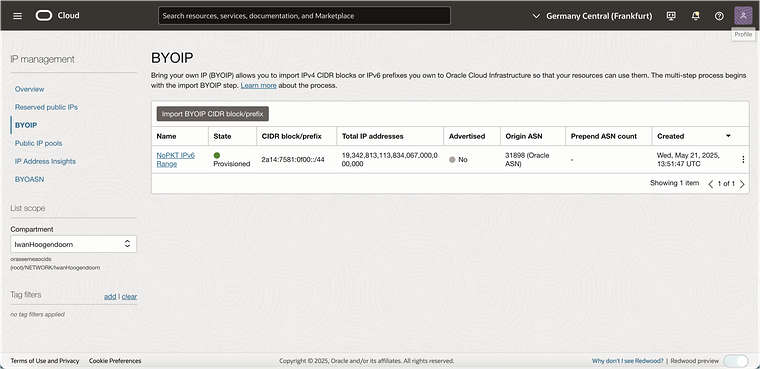
Set a width Obsidian-style, , and add options such as border, left, right or center:

Gallery
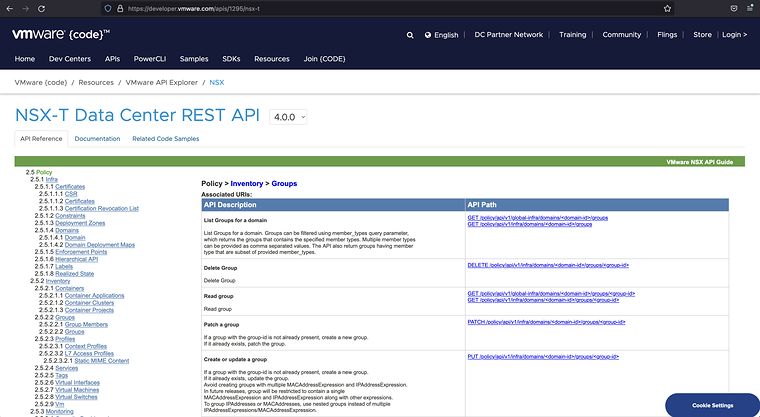
Replaces HighslideGallery and SimpleBatchUpload-style image dumps:
:::gallery:::


External images
Images hosted elsewhere work the same way:

Collapsed text
Replaces mw-collapsible:
:::collapse[CLICK TO SEE THE OUTPUT]...anything, including code...:::Lorem ipsum sample (open by default)
This is codeCLICK TO EXPAND AND SEE THE OUTPUT
$ show ip routeGateway of last resort is 10.203.100.2 to network 0.0.0.0O 10.203.110.0/24 [110/2] via 10.203.100.2, GigabitEthernet1Accordions
Inside an accordion, opening one section closes the others:
::::accordion:::collapse[SECTION1]{open}Lorem ipsum...::::::collapse[SECTION2]Lorem ipsum...:::::::SECTION1
Lorem ipsum dolor sit amet, consectetur adipiscing elit.
SECTION2
Sed do eiusmod tempor incididunt ut labore et dolore magna aliqua.
SECTION3
Ut enim ad minim veniam, quis nostrud exercitation.
Tabs
Good for “GUI vs CLI” or “Requestor side vs Acceptor side” instructions:
::::tabs:::tab[GUI]Click **Networking → DRG → Create**.::::::tab[CLI]...code block...:::::::Click Networking → Customer Connectivity → Dynamic Routing Gateways → Create DRG.
oci network drg create --compartment-id "$C" --display-name hub-drgresource "oci_core_drg" "hub" { compartment_id = var.compartment_ocid}YouTube
Replaces <youtube> and <htmlet>. Videos are responsive and load from the privacy-friendly youtube-nocookie.com domain:
::youtube{id="188t9-fbgcI"}::youtube{list="PLxxxxxxxx"}Tables
A normal Markdown table:
| Type of Change | Okay? ||---|---|| Grammar/spelling fixes | Yes || Type of Change | Okay? |
|---|---|
| Grammar/spelling fixes | Yes |
| New wiki content | Yes |
| Adding to existing article | Maybe, see below |
For coloured rows (the old {{TableStart}} with Bootstrap classes), use an HTML table with success, info, warning, danger or active on the row:
| Class Name | Use for |
|---|---|
| success | Supported / works |
| info | Header or neutral highlight |
| warning | Caveats |
| danger | Don't do this |
Text basics
Bold, italic, inline code, /etc/fstab (the old {{c}} and {{f}} are both just backticks now), internal link, external link.
- Unordered list
- Unordered item 2
- Unordered sub-item
- Ordered list
- Ordered item 2
- Ordered sub-item
A regular quote (the old
<blockquote>). Wikipedia is a collaboratively edited, multilingual, free-access, free content Internet encyclopedia.
- Term
- This is called a "definition list". It is used when defining various terms.
Heading levels
Use ## for chapters and ### for sections. Both appear in the “On this page” sidebar automatically, with no __TOC__ needed.